
Online reviews often influence a visitor's decision before they even contact a real estate professional. Positive Zillow reviews build trust, but if they remain only on your Zillow profile, many visitors to your website may never see them.
Displaying Zillow reviews directly on your WordPress website helps you showcase your reputation where potential clients are already exploring your services and property listings. Instead of sending visitors to another platform, you can keep them engaged on your own website while highlighting genuine customer feedback.
Why Display Zillow Reviews on Your Website?
Adding Zillow reviews to your website offers several advantages:
- Build trust with authentic customer reviews.
- Keep visitors on your own website instead of sending them to Zillow.
- Showcase your reputation alongside your property listings.
- Create a more professional real estate website.
- Improve the overall user experience.
Challenges of Adding Reviews Manually
Many website owners copy and paste reviews from Zillow whenever they receive new feedback. While this works for a few reviews, it quickly becomes difficult to maintain. Common problems include:
- Time-consuming manual updates.
- Inconsistent formatting.
- Outdated reviews remaining on the website.
- Poor mobile presentation.
- Extra maintenance every time a new review is posted.
The Easier Solution: Listings & Reviews for Zillow
Instead of manually copying reviews, the Listings & Reviews for Zillow plugin lets you display reviews directly on your WordPress website using professionally designed layouts.
Whether you're showcasing your latest testimonials on the homepage or creating a dedicated reviews page, the plugin helps you present your Zillow reputation in a clean and organized way.
Key Features:
- Display Zillow reviews directly on WordPress.
- Easy integration with your Zillow profile.
- Responsive layouts for every device.
- List, Grid, and Carousel display options.
- Flexible customization settings.
- Optional "Write a Review" button.
How to Display Zillow Reviews on WordPress
Setting up Zillow reviews on your WordPress website is quick and straightforward. Just follow these simple steps:
- Install the Listings & Reviews for Zillow plugin.
- Connect your Zillow account.
- Configure your review display settings.
- Select your preferred layout.
- Publish the reviews on any WordPress page.
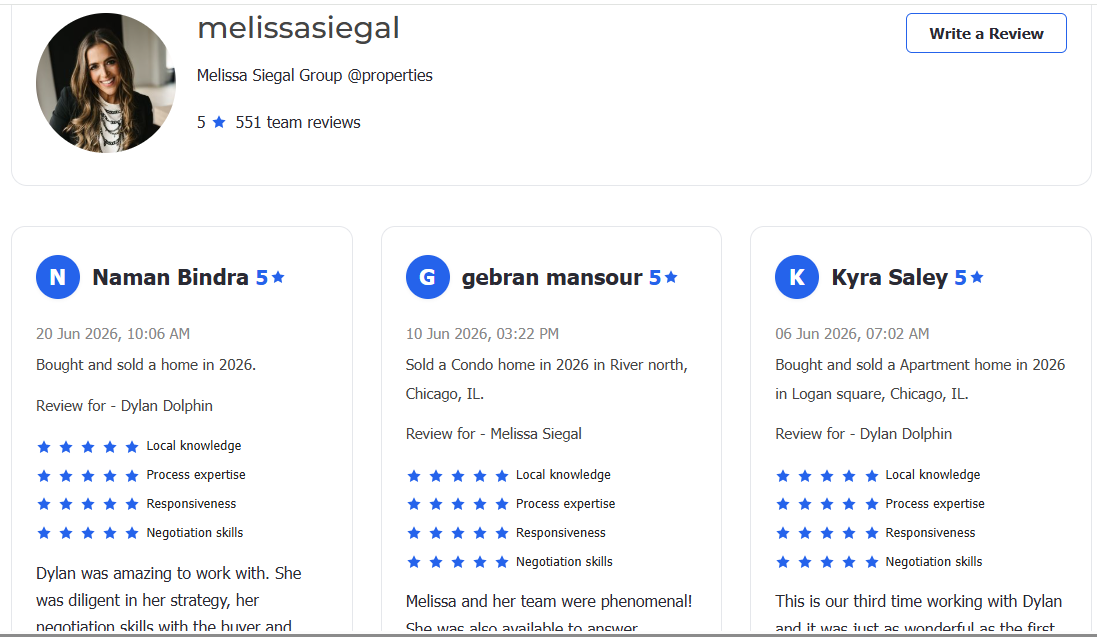
Here's an example of how your Zillow reviews can appear on your WordPress website:
Display Reviews Alongside Your Listings
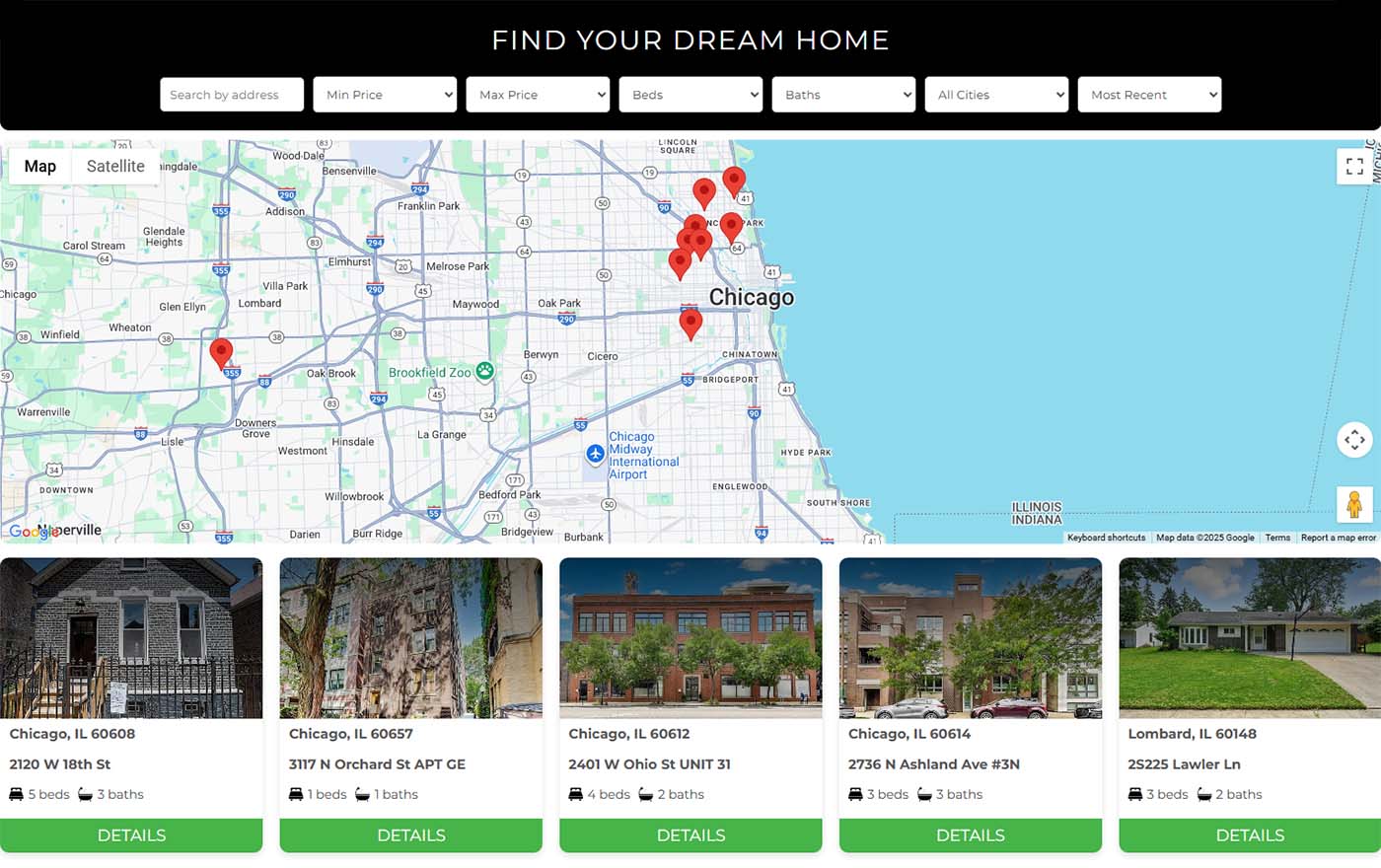
One of the biggest advantages of the Listings & Reviews for Zillow plugin is that it doesn't only display reviews—it also lets you display your Zillow property listings.
This allows visitors to:
- Browse available properties.
- Read real customer reviews.
- Learn more about your business.
- Stay on your website throughout the entire experience.
Displaying listings and reviews together gives visitors both the information they need and the confidence to contact your business.
Why You'll Like This Plugin
- Automatically imports reviews from your Zillow profile.
- Display reviews in List, Grid, or Carousel layouts.
- Responsive design for desktop, tablet, and mobile.
- Easy WordPress integration.
- Display Zillow listings and reviews together.
- Flexible customization options.
- Optional "Write a Review" button to collect more customer feedback
Best Practices for Displaying Zillow Reviews
Display Reviews Where They Matter Most
Displaying reviews close to your property listings helps visitors make informed decisions while browsing.
Choose a Clean Layout
Use a layout that matches your website's design and is easy to read on all devices.
Keep Reviews Updated
Allow the plugin to display your latest Zillow reviews so visitors always see current feedback.
Display Reviews on Important Pages
Add reviews to your homepage, property pages, and service pages to maximize visibility.
Optimize for Mobile
Ensure your review section looks great on mobile devices, where many users search for properties
Final Thoughts
Customer reviews are one of the strongest trust signals for any real estate business. By displaying your Zillow reviews directly on your WordPress website, you can build credibility, improve the visitor experience, and showcase your reputation without sending users to another platform.
With the Listings & Reviews for Zillow plugin from MJPlugins, you can easily display both your Zillow listings and reviews in one place, creating a more engaging and professional real estate website.